

Login
Menu
Olitt AI Website Builder

AI Website Builder

Build beautiful websites with our Olitt AI website builder.

Online shop

Online Shops

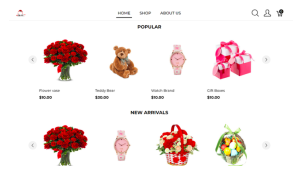
Build Any Type ofOnline Shop Today Launch your professional store in minutes…

Localforce

Localforce

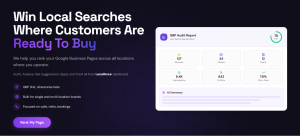
Win Local Searches Where Customers Are Ready To Buy We help you…

Post automation

Post automation

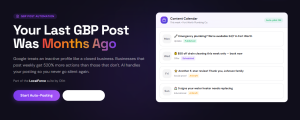
GBP Post Automation Your Last GBP Post Was Months Ago Google treats…

Rank Tracker

Rank Tracker

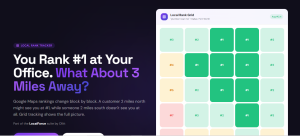
You Rank #1 at Your Office. What About 3 Miles Away? Google…

Login
  • Home
  • Virtual Assistant

Virtual Assistant AI Website Builder

Build Your Virtual Assistant Website With AI

Clients search online before hiring. A strong website helps them decide who to trust. With Olitt AI Virtual Assistant Website Builder, you can create a professional website that reflects your skills, values, and reliability in minutes. You do not need coding experience or design training. Simply describe the kind of assistant you are, such as administrative, creative, or executive, and Olitt AI builds your entire site automatically. You get a clean, optimized, and ready-to-publish website that helps you attract clients while you focus on your work.
Over 10,000 websites created

Create Your Virtual Assistant Website in Simple Steps

Share your business details

Enter your name, service type, and niche. You can be an administrative VA, social media manager, e-commerce assistant, or executive support professional. The AI uses your input to design a layout and tone that fit your work style.

Generate your website instantly

In a few minutes, Olitt AI generates a complete website with layout, images, and copy. It includes your services, about page, testimonials, and contact form, all designed to turn visitors into clients.

Publish automatically

Your website is published right away, complete with free hosting and a domain. It’s ready to share with potential clients across LinkedIn, Upwork, and social media.

Update whenever you want

Use simple editing tools or AI assistance to rewrite sections, upload new work, or change pricing. Your site stays current and reflects your growth as a professional.

Virtual Assistant AI Website Features We Support

  • Olitt AI Assistant
  • Ask AI
  • Manual Controls
  • Inline Editing
  • Template Customization
  • Functional Forms
  • Contacts Management
  • Free Domain
  • Free Hosting
  • SEO Tools
  • Mobile Optimization
  • Booking Features
  • Local Business Schema
  • Google Maps integration
  • Opening hours
  • FAQs Schema
  • Wordpress Editing AI

Built for Any Type of Virtual Assistant Website

General virtual assistants

Highlight your range — from inbox management and scheduling to data entry and customer support. Your site shows you as a reliable multi-tasker ready to adapt.

Administrative VAs

Showcase your organizational skills, time management, and professionalism. Use project samples and clear service outlines to win trust.

Social media VAs

Display your creativity with visuals, content samples, and client growth results. Add testimonials from past clients to prove your impact.

E-commerce assistants

Include your expertise in managing online stores, product listings, inventory updates, and order processing.

Executive assistants

Build authority with clean design and content that emphasizes confidentiality, communication, and leadership support.

Real Estate Virtual Assistants

Olitt AI creates layouts tailored for client-facing work. Include analytics, email marketing tools, and lead-capture forms to help real estate firms delegate administrative and communication tasks confidently.

Project Management VAs

If you manage teams or coordinate remote projects, your website shows leadership and clarity. Olitt AI builds pages that let you list the tools you use — Asana, ClickUp, Trello — and your experience in deadline tracking, reporting, and team communication. The site emphasizes your ability to keep clients’ operations smooth and efficient.

Finance and Bookkeeping VAs

Create a structured, professional layout that communicates trust and accuracy. Highlight your experience with tools like QuickBooks or Xero.

Virtual Assistant Demo Websites Created With AI

  • Seoulful Korean Language School

    Screenshot of https://seoulful-wa00646.olitt.io/
  • Germany Language School

    Screenshot of https://hallohausbc12db.olitt.io/
  • Language School

    Screenshot of https://wordnerd98bc3e.olitt.io/

Why Use Virtual Assistant AI Website Builder?

Save time and launch faster

No need to spend weeks working with developers. You get a ready-to-publish site in minutes.

Show your professionalism

Every layout is designed to look clean, credible, and aligned with client expectations.

Appear in search results

Your website structure is optimized for Google, helping you rank for searches like virtual assistant in Nairobi or remote executive assistant.

Tools that support your daily work

Each website includes ready-made features that save time, such as booking forms, pricing tables, and testimonial sections. You can connect with leads, display your portfolio, and manage inquiries easily.

SEO that works automatically

Your website is optimized from day one. Olitt adds the right structured data such as LocalBusiness, FAQPage, Review, and Article schema so search engines instantly understand your business and display rich results.

Grow affordably

You start free. When you’re ready for advanced tools like analytics, branding, or integrations, upgrades are available at fair prices.

Easy editing with no learning curve

You can change anything on your website with visual editing. Update your content, upload new projects, or adjust your layout in minutes. The interface is simple and beginner-friendly.

Build Your Service Website With AI Today

Now possible in just under 10 minutes. You also get to edit everything inline. Try our cheapest AI website builder for local businesses

Virtual Assistant AI Website Builder FAQs

What should a virtual assistant website include?

Your website should explain who you are, what you do, and how you help clients.

The most important sections are:

  • A homepage that introduces you and builds trust

  • A services page that lists your offers and pricing

  • An about section that tells your story and experience

  • Testimonials from satisfied clients to add credibility

  • A contact page or inquiry form for easy communication


Adding a portfolio or case studies helps potential clients see your skills in action.

Why do I need a website as a virtual assistant?

A website is your online office.

It helps you showcase your skills, appear professional, and reach more clients.

With a website, you can:

  • Build authority in your niche

  • Appear in Google search results

  • Present your services clearly

  • Convert visitors into paying clients


Even if you rely on referrals, clients often search your name online. A website confirms your credibility and professionalism.

Can I really build a website without coding or design skills?

Yes.

Olitt AI handles all the design and structure for you. You just describe your business, and the system creates your website automatically.

You can then edit everything using a simple visual editor without touching any code.

How can a website help me attract more clients?

Your website works as your marketing assistant. It helps clients discover your services, view testimonials, and contact you directly. You can:

  • Rank on Google with built-in SEO

  • Showcase your results and client feedback

  • Include booking or inquiry forms

  • Display certifications and tools you use


This gives potential clients confidence to contact you or book your services immediately.

How do I choose a domain name for my virtual assistant website?

Pick a domain that is short, clear, and easy to remember. Try using your name or your business name, for example:

  • sarahva.com

  • efficientassistant.co.ke


Avoid numbers or symbols that make it hard to spell. Olitt allows you to connect your own domain or use a free one when starting out.

Will my virtual assistant website appear on Google?

Yes.

Every Olitt website is SEO-ready. We automatically apply structured data such as Services, LocalBusiness, Review, and FAQ schema to help Google understand your site.

Pages include optimized titles, descriptions, and clean URLs that improve visibility in search results.

Should I display my prices on the website?

It depends on your business strategy. Showing prices can help clients make quick decisions, while hiding them can encourage more inquiries.

You can use:

  • A pricing table for fixed packages

  • A “Request a Quote” form for custom projects


Olitt supports both approaches, so you can choose what works best for your workflow.

What content converts best on a virtual assistant website?

Clear, simple content that shows real results. You can include:

  • Client testimonials and reviews

  • Case studies or success stories

  • Lists of specific services you offer

  • Metrics such as hours saved or revenue improved


The goal is to make it easy for clients to see your value quickly and trust your experience.

Is my website mobile-friendly?

Yes. Every Olitt website is fully responsive. Your layout, buttons, and text automatically adjust to fit any screen size.

You can also preview how your site looks on mobile or tablet views before publishing.

How can I make my website look more professional?

Keep your design clean and consistent. Use no more than three main colors, high-quality images, and readable fonts.

Include a clear headshot, business logo, and testimonials. Professional details like these create a sense of trust and reliability.

Can I update my website easily after publishing?

Yes. You can log into your dashboard anytime and edit your content, images, or services.

You do not need to reinstall or rebuild anything. Changes appear immediately after saving.

Can I connect my Google Analytics account?

Yes. You can integrate Google Analytics directly through your Olitt dashboard.

This helps you track how many visitors come to your site, where they come from, and which pages perform best.

Can I use my website as a portfolio?

Yes. You can upload your past projects, screenshots, and case studies.

Adding real work samples helps potential clients visualize the kind of results you deliver.

You can organize your portfolio by category or client type.

How much does it cost to build a virtual assistant website?

You can start free with Olitt. The free plan includes hosting, templates, and a sub-domain.

Do I need to worry about SEO settings?

No. Olitt automatically handles most SEO tasks for you.

Your site includes schema markup, optimized titles, clean URLs, and alt tags.

You can still add or edit keywords and meta descriptions if you want more control.