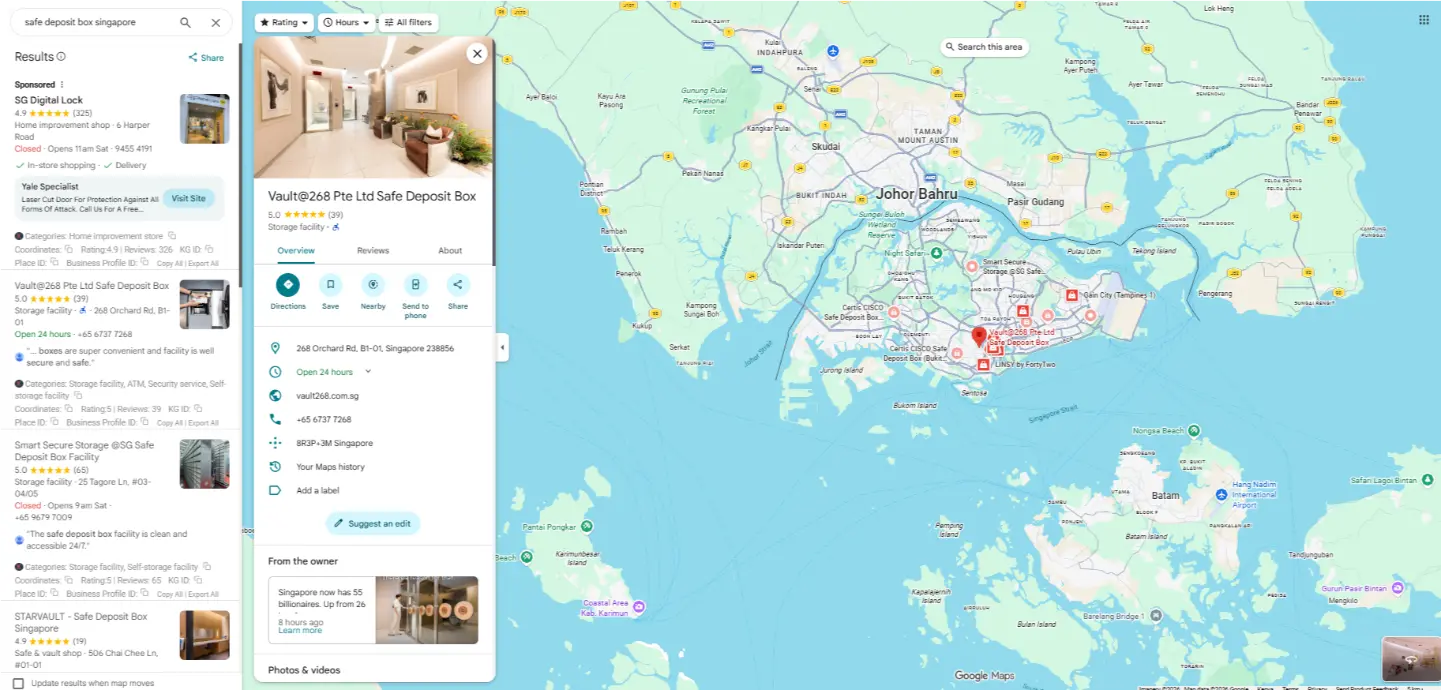

You search for your own business on Google Maps and a competitor shows up first.
They have fewer reviews than you. Their photos look worse than yours. And yet, there they are, sitting right at the top while your business is buried further down or not showing up at all.
That is one of the most frustrating situations a local business owner can find themselves in. You are doing the work, serving real customers, and the business that seems to do less is somehow more visible online.
Here is the thing though. Google Maps rankings follow a pattern, and once you know the pattern, you can work it.This article breaks down exactly what is moving local rankings in 2026, the stuff that actually shows results, not the recycled tips you have already read ten times. We will also get into the website side of things, which is often the missing piece for local businesses, and why the hosting you use through Olitt matters more than most people think.

What Google Maps Ranking Means
When someone searches for a business near them, Google Maps surfaces a list of local results called the local pack.
These are the three businesses that appear at the top of the search results with a map attached.
Getting into that local pack, or ranking as high as possible within it, is what Google Maps ranking is all about.
The higher you rank, the more people see your business, the more calls you get, and the more foot traffic walks through your door.
Quick Facts About Google Maps Rankings
Google uses three main signals to determine local rankings: relevance, distance, and prominence.
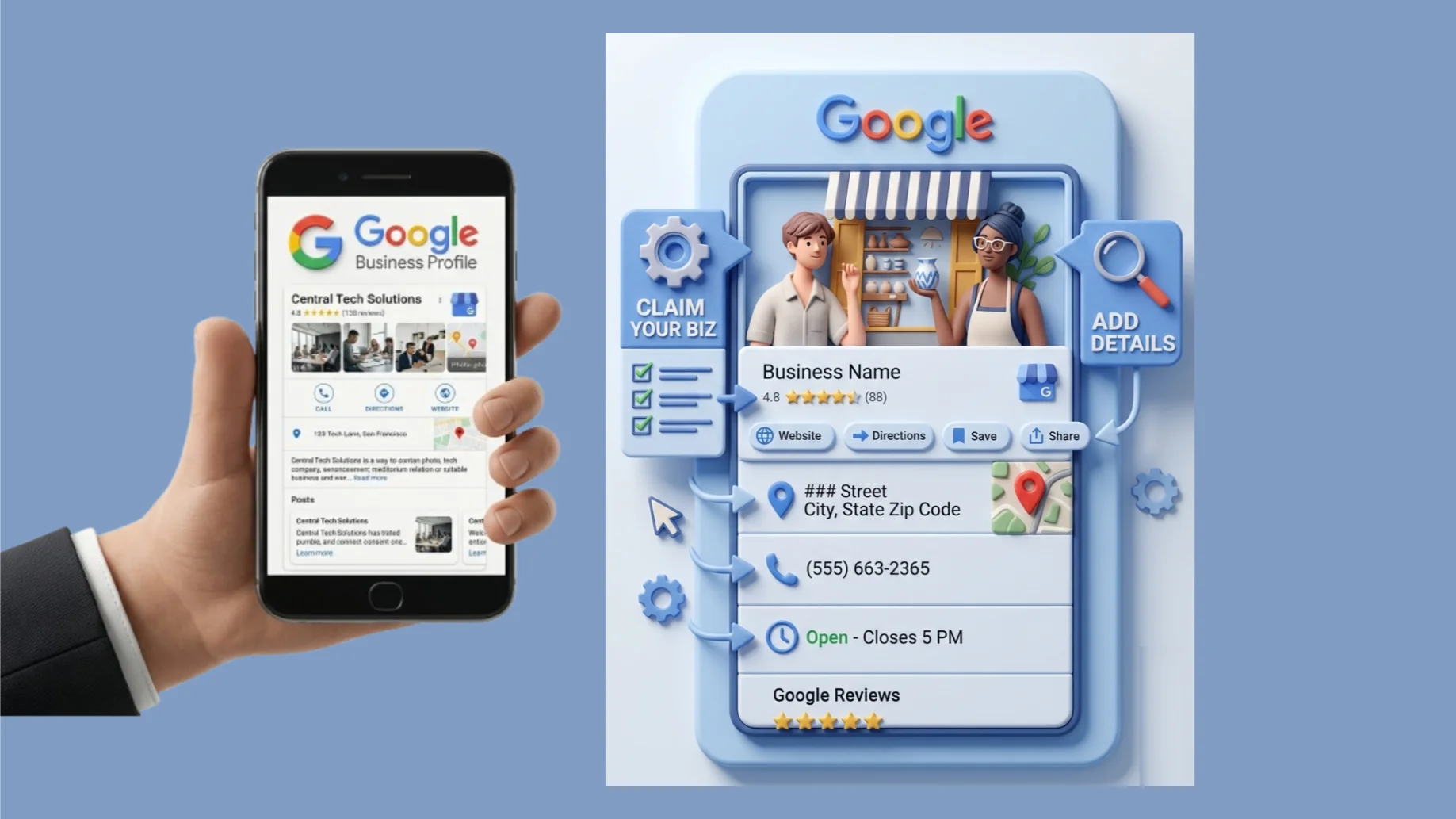
Your Google Business Profile is the single most important asset in local search.
Over 76 percent of people who search for something nearby visit a business within a day.
Businesses with complete Google Business Profiles get significantly more direction requests and website clicks than those with incomplete profiles.
Reviews are one of the strongest trust and ranking signals Google uses for local results.
NAP consistency, meaning your name, address, and phone number matching across all platforms, directly impacts how Google verifies and ranks your business.
A slow or poorly built website can undermine your local rankings even if everything else is in place.
Why Google Maps Rankings Matter in 2026
1) Local Search Has Changed How Customers Find Businesses
Most people no longer flip through directories or ask around before visiting a local business.
They pull out their phone, search for what they need nearby, and choose from the top results they see on the map.
If your business is not in those top results, a large portion of potential customers will never know you exist.
2) Visibility Drives Real Customer Actions
Showing up on Google Maps is not just about being seen.
It drives direct actions, including phone calls, website visits, direction requests, and walk-ins, from people who are already looking for exactly what you offer.
Those are warm leads, not cold traffic. People searching on Maps are ready to make a decision, and the business at the top gets most of them.
3) Competition Is Getting Tighter
More local businesses now understand the value of ranking on Google Maps, and the competition for local visibility has increased in most industries.
Waiting and hoping your profile ranks on its own is no longer enough. The businesses showing up at the top are actively managing their local SEO, and you need to do the same.
How Google Maps Ranking Works
Google uses three core factors to rank local businesses: relevance, distance, and prominence.

- Relevance is how well your business matches what someone is searching for. If you run a dental clinic and someone searches for a dentist nearby, Google tries to match that search to the most relevant local businesses in its database.
- Distance is how close your business is to the person searching or to the location they specified. All else being equal, businesses that are physically closer to the searcher tend to rank higher in local results.
- Prominence is how well-known and trusted your business appears to be, based on information across the web. This includes reviews, links, mentions, and how complete and active your Google Business Profile is.
Google weighs all three of these signals together when deciding which businesses to show and in what order.
Top Google Maps Ranking Factors That Actually Work
1) Google Business Profile Optimization
Your Google Business Profile is the foundation of everything else in local search.
A complete, accurate, and active profile tells Google exactly who you are, what you do, and where you do it.
Businesses with fully optimized profiles consistently outrank those with sparse or outdated information, even when other factors are similar.
Fill out every section: business name, category, address, phone number, website, hours, services, and a clear business description. Do not leave anything blank.
2) Consistent Business Information Across Platforms
Google cross-references your business information with other directories and data sources across the web.
If your name, address, or phone number appears differently on Google compared to your social handles, your website, or local directories, it creates confusion that can hurt your ranking.
Audit your listings on major directories and make sure everything matches your Google Business Profile exactly.
3) Customer Reviews and Ratings
Reviews are one of the most powerful ranking signals Google uses for local search.
Businesses with more reviews, higher ratings, and recent activity consistently rank better than those with stale or sparse review profiles.
Getting a steady stream of new reviews, especially ones that mention specific services or locations, sends Google a strong signal that your business is active, relevant, and trusted by real customers.
4) Local SEO Signals
The keywords you use in your business description, service listings, and review responses all contribute to your relevance for local searches.
Use natural language that reflects how your customers actually describe what you do, not just how you describe yourself internally.
Geo-specific terms, the name of your city or neighborhood, and service-specific language all help Google connect your business to the right searches in the right area.
5) Website Quality and Speed
Google looks at your website as part of how it assesses your business’s prominence and credibility.
A well-built, fast-loading website that clearly describes your services, location, and contact information reinforces what your Google Business Profile says and strengthens your overall local presence.
A slow, broken, or poorly structured website works against you even if your Maps profile is excellent.
6) Backlinks and Local Mentions
When other reputable websites link to your business or mention it by name, Google interprets that as a sign of real-world prominence.
Local news articles, community blogs, chamber of commerce listings, and industry directories all count as signals that your business exists and matters.
You do not need hundreds of these. A handful of quality local mentions from credible sources can meaningfully improve how Google perceives your business’s prominence in the area.
How to Optimize Your Google Business Profile

- Claim and verify your profile. If you have not claimed your business on Google Business Profile, that is the first step. Unverified profiles have limited visibility and cannot be fully managed.
- Choose the right primary category. Your primary category is one of the strongest relevance signals in local search. Choose the one that most accurately describes your core business, not a broad or aspirational category.
- Add secondary categories. If your business offers multiple services, add secondary categories to cover them. A restaurant that also does catering benefits from listing both.
- Write a keyword-rich business description. Use your description to explain what you do, who you serve, and where you are located. Include natural references to your main services and your city or area.
- Upload high-quality photos regularly. Businesses with more photos receive more clicks and direction requests. Add photos of your storefront, team, products, and work on a regular basis rather than uploading everything once and forgetting about it.
- Keep your hours accurate. Incorrect hours create a poor experience for customers and send a negative signal to Google. Update your hours for holidays and seasonal changes as soon as they happen.
- Use the posts feature. Google Business Profile lets you publish updates, offers, and announcements. Regular posting keeps your profile active and gives Google fresh content to associate with your listing.
- Answer questions. The questions and answers section on your profile is often overlooked. Seed it with common questions your customers ask and answer them clearly.
Common Mistakes That Hurt Your Google Maps Rankings
- Using an inconsistent business name. If your legal business name is different from what you trade under, pick one and use it consistently everywhere. Slight variations confuse Google’s matching algorithms.
- Ignoring negative reviews. Not responding to negative reviews hurts your ranking and your reputation. Responding professionally, even to criticism, shows Google and potential customers that you are an active and accountable business.
- Keyword stuffing your business name. Adding keywords to your business name field, like “Joe’s Plumbing Best Plumber Chicago,” violates Google’s guidelines and can result in your listing being suspended.
- Not updating your profile after changes. A business that moves, changes its hours, or updates its phone number without updating its Maps profile is sending mixed signals that hurt rankings and frustrate customers.
- Having no photos. A profile with no images looks incomplete and untrustworthy. Listings without photos receive far fewer clicks than those with even a basic set of quality images.
- Never posting or engaging. A dormant profile tells Google your business may no longer be active. Regular updates, review responses, and posts all signal that your listing is being maintained.
How Long It Takes to Rank on Google Maps
There is no fixed timeline, and anyone who gives you a specific guarantee is not being straight with you.
For a brand new business profile with no history, seeing meaningful movement in local rankings typically takes between three and six months of consistent effort.
For established businesses that are making targeted improvements, things like optimizing their profile, getting new reviews, and fixing NAP inconsistencies, visible changes can happen within four to eight weeks.
The factors that speed things up are starting from a stronger baseline, operating in a less competitive area or niche, and being consistent with the actions that signal activity and trust to Google.
The factors that slow things down are high local competition, a previously penalized or duplicate listing, and inconsistent or sporadic effort.
Simple Steps to Improve Your Local Rankings Fast
Step 1: Audit your NAP consistency.
Search your business name across Google, Yelp, Facebook, and any directories you are listed on. Fix any discrepancies you find right away.
Step 2: Ask for five new reviews this week.
Reach out to five recent customers and send them a direct link to your Google review page. A fresh wave of reviews can shift your ranking noticeably within weeks.
Step 3: Add ten new photos to your profile.
Upload a mix of exterior shots, interior shots, products or services, and team photos. Do it this week, then keep adding more on a monthly basis.
Step 4: Update every empty field on your profile.
Go through your Google Business Profile and fill in anything that is currently blank. Every incomplete field is a missed ranking signal.
Step 5: Publish a Google post.
Write a short update about something current: a promotion, a recent project, a seasonal offer, or a simple update about your business. Post it today and set a reminder to do it again next week.
Step 6: Add your business to three local directories.
Find locally relevant directories in your area or industry and make sure your business is listed with accurate information.
How Your Website Supports Your Google Maps Ranking
Your website is not separate from your Google Maps ranking. It is part of it.
Google evaluates your website when deciding how credible and prominent your business is. Here is what actually matters:
- It backs up what your Maps profile says. A website that clearly lists your services, location, and contact information confirms to Google that your business is legitimate and consistent. Mixed signals between your site and your Maps profile hurt your ranking.
- Your homepage should include local signals. Your city or region, your main services, and your contact details should all be visible on your homepage. A dedicated contact page with your address and phone number, matching your Maps profile exactly, adds another layer of trust.
- Page speed is a ranking signal. If your website takes more than three seconds to load, you are losing both visitors and ranking potential. Google uses page speed as a factor across both organic and local search, and slow sites consistently rank lower than fast ones.
- Your hosting provider directly affects your speed. A slow host means a slow site, and a slow site works against everything else you are doing to rank on Maps. Olitt offers hosting built for performance and reliability, which means your site stays fast and available whether five people or five hundred are visiting it.
- Locally focused content adds ranking power. A page covering your services in your specific city, or a blog post on a local topic in your industry, builds SEO signals that support your Maps ranking over time. Generic content does not do this the same way.
- A slow or outdated site cancels out good Maps work. If your current site is slow, broken, or not mobile-friendly, fixing it is one of the highest-impact moves you can make for your local visibility. Truehost offers web hosting plans that give small and local businesses the speed and uptime they need to compete.
FAQs
How do I rank higher on Google Maps?
Start with your Google Business Profile. Make sure it is fully complete, verified, and accurate. Then build a consistent review strategy, fix any NAP inconsistencies across directories, and make sure your website is fast and locally optimized. Consistent effort across all of these areas compounds over time.
Why is my business not showing on Google Maps?
The most common reasons are an unclaimed or unverified profile, incorrect or inconsistent business information, no reviews, or a listing that has been flagged or suspended by Google. Start by claiming and verifying your profile, then audit everything else from there.
How important are reviews?
Very important. Reviews are one of the top three ranking signals Google uses for local results, alongside relevance and distance. They also directly influence whether a customer chooses your business over a competitor once they find you. Getting reviews consistently, not in one big burst, is the most sustainable approach.
Can I rank without a website?
You can appear in local results without a website, but your ranking potential is significantly limited. A website adds credibility, gives Google more content to associate with your business, and provides a destination for customers who want to learn more before they call or visit. Businesses without websites consistently rank lower than those with well-built, fast-loading sites.
How long does it take to see results?
For new profiles, expect three to six months before seeing meaningful movement. For existing businesses making improvements, four to eight weeks is a realistic window to start noticing changes. The speed depends on how competitive your area is and how consistently you maintain your profile and local SEO activity.
What is the most important ranking factor?
Your Google Business Profile is the single most important asset. If it is incomplete, unverified, or inaccurate, nothing else you do will fully compensate for that. Start there, get it right, and build everything else on top of it.
Want to Start Showing Up Where Your Customers Are Looking ?

Google Maps rankings are not out of your control.
Every factor that determines where your business shows up is something you can actively work on: your profile, your reviews, your website, your consistency across the web.
The businesses ranking at the top of local results are not necessarily the best businesses in the area. They are usually the ones that have put the most consistent effort into the signals Google pays attention to.
Start with the basics. Claim your profile, fill it out completely, ask for reviews, fix your NAP consistency, and make sure your website loads quickly on mobile. Those five things alone will move you forward.
For the website side of things, hosting quality matters more than most business owners realize. A fast, reliable site built on solid hosting strengthens your local SEO and gives everything else you are doing a better foundation to stand on. Visit olitt.com to explore hosting options built for business websites that need to perform.
And if you are building or rebuilding your site from scratch, check out Olitt web hosting plans to get started with a platform that supports your local ranking goals from day one.